Listen to the world.
Read along.
30,000+ live radio stations from every country, with on-device captions and live translation into 19 languages. No accounts. No tracking.
Free to try · Built for iOS 26 · iPhone & iPad
A native player, top to bottom.
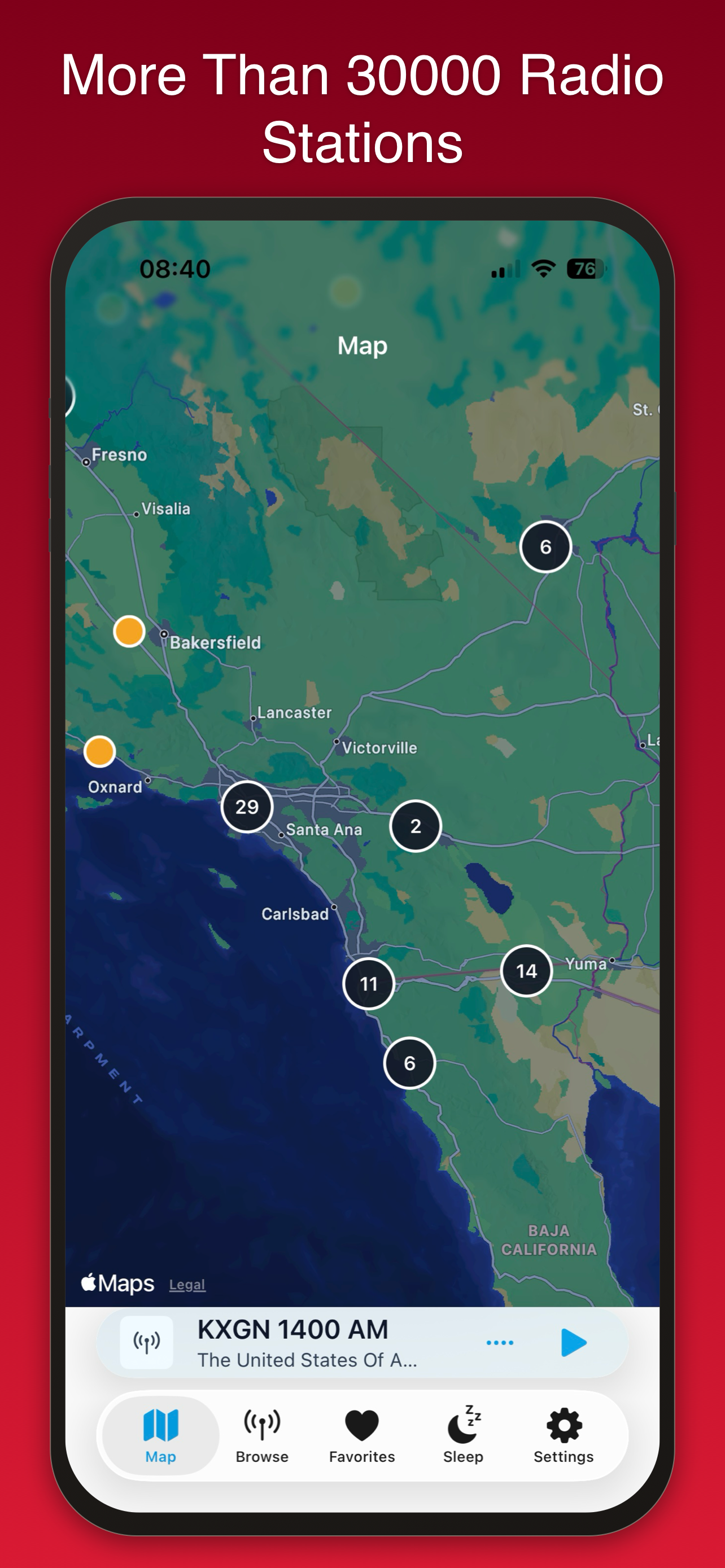
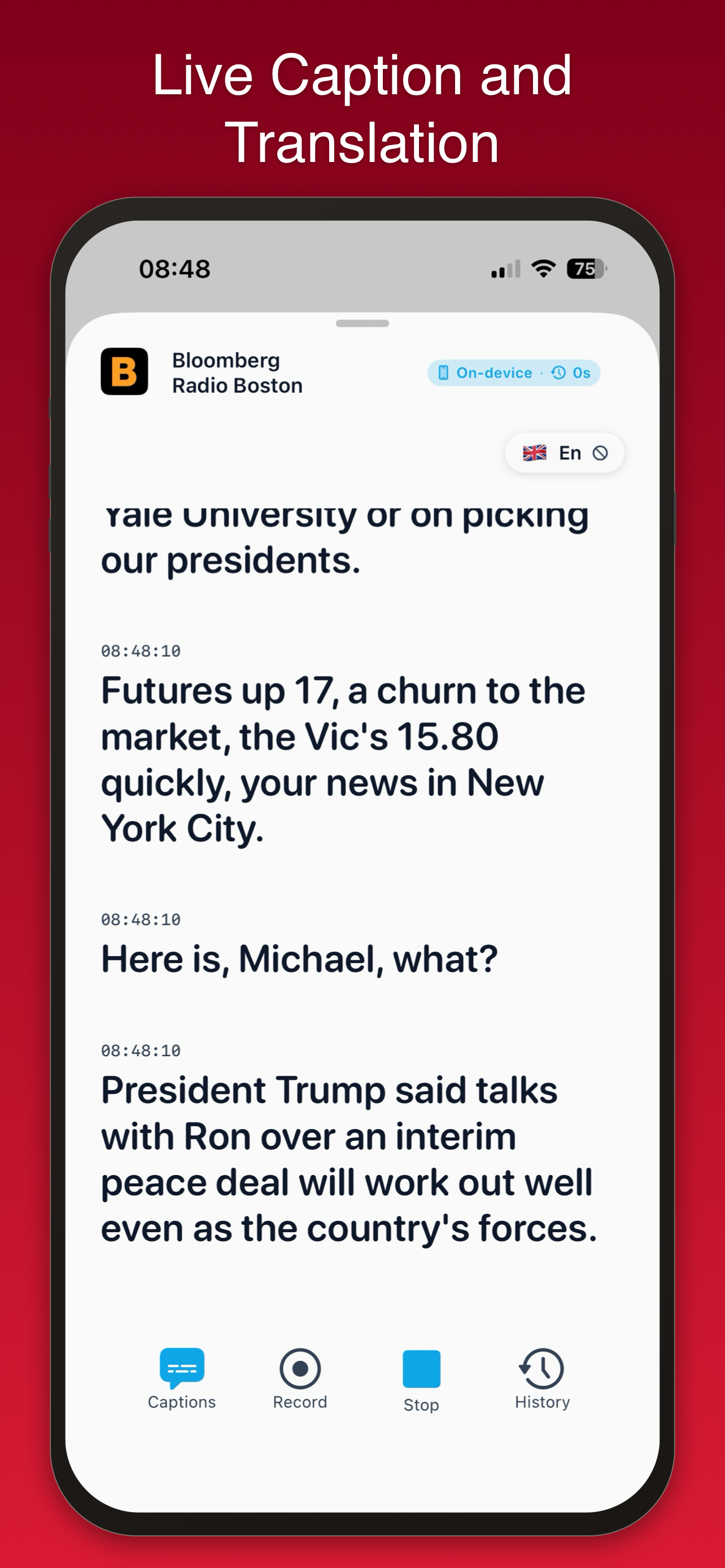
From the worldwide station map to live on-device captions — here's Caption Radio running on iPhone.
Tune in. Read along. Understand.
No setup, no accounts. Pick a station and the captions and translation start on your device.
Tune in
Browse 30,000+ live streams by country, language, or genre. Tap one and listen instantly.
Read along
Sub-second captions appear on screen, generated entirely on your iPhone — nothing is uploaded.
Understand
Translate the captions into your language as you listen, so a French bulletin lands in English.
Everything you need to listen everywhere.
A native iOS 26 player with on-device intelligence — fast, private, and quiet about your data.
Stations from every country
Browse 30,000+ free live streams. Filter by country, language, or genre, or pick a pin on the world map.
Live captions, on device
Sub-second captions powered by Apple Speech and WhisperKit. Nothing leaves your phone.
Translate as you listen
Apple Translation reads along into your language — English and 18 others, accurately and naturally.
Favorites & history
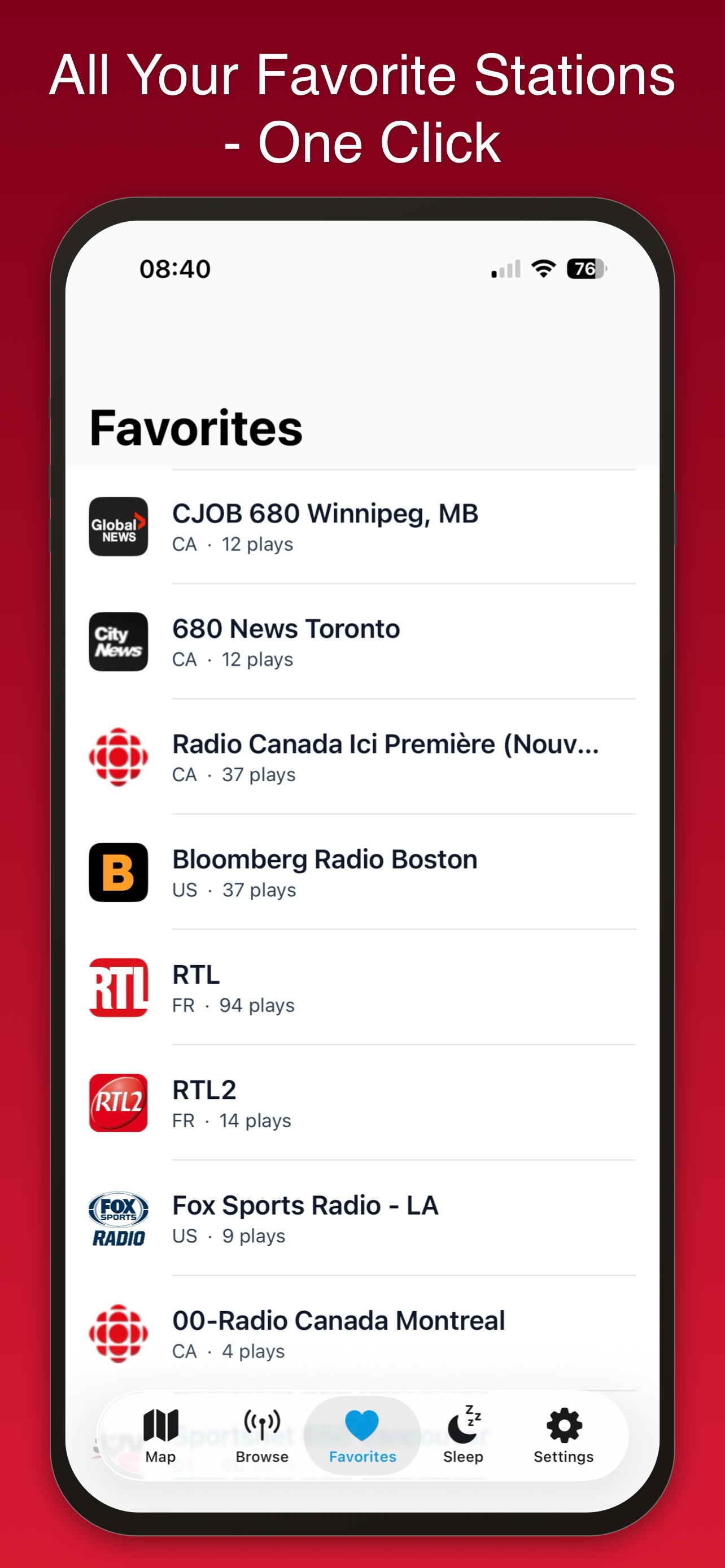
Save stations for one-tap return. Search what you heard across past sessions with a full caption history.
Clip what catches you
Tap record and the last 30 seconds of audio and its caption transcript are saved to your library.
Home screen widgets
Now Playing, a quota indicator, and an AI Daily Digest right on your home screen.
Sleep timer
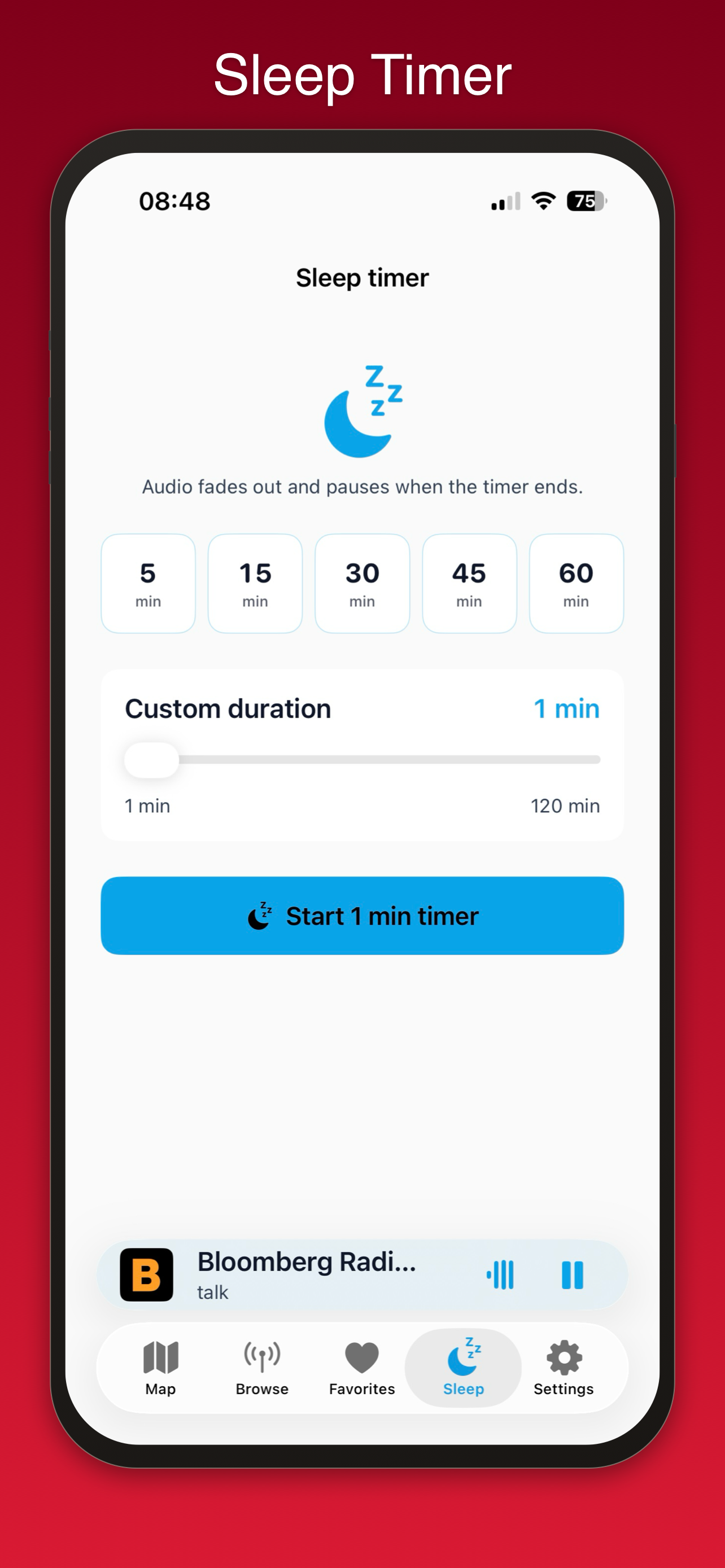
Drift off to a station from the other side of the world. Custom durations, one-tap cancel.
Built for accessibility
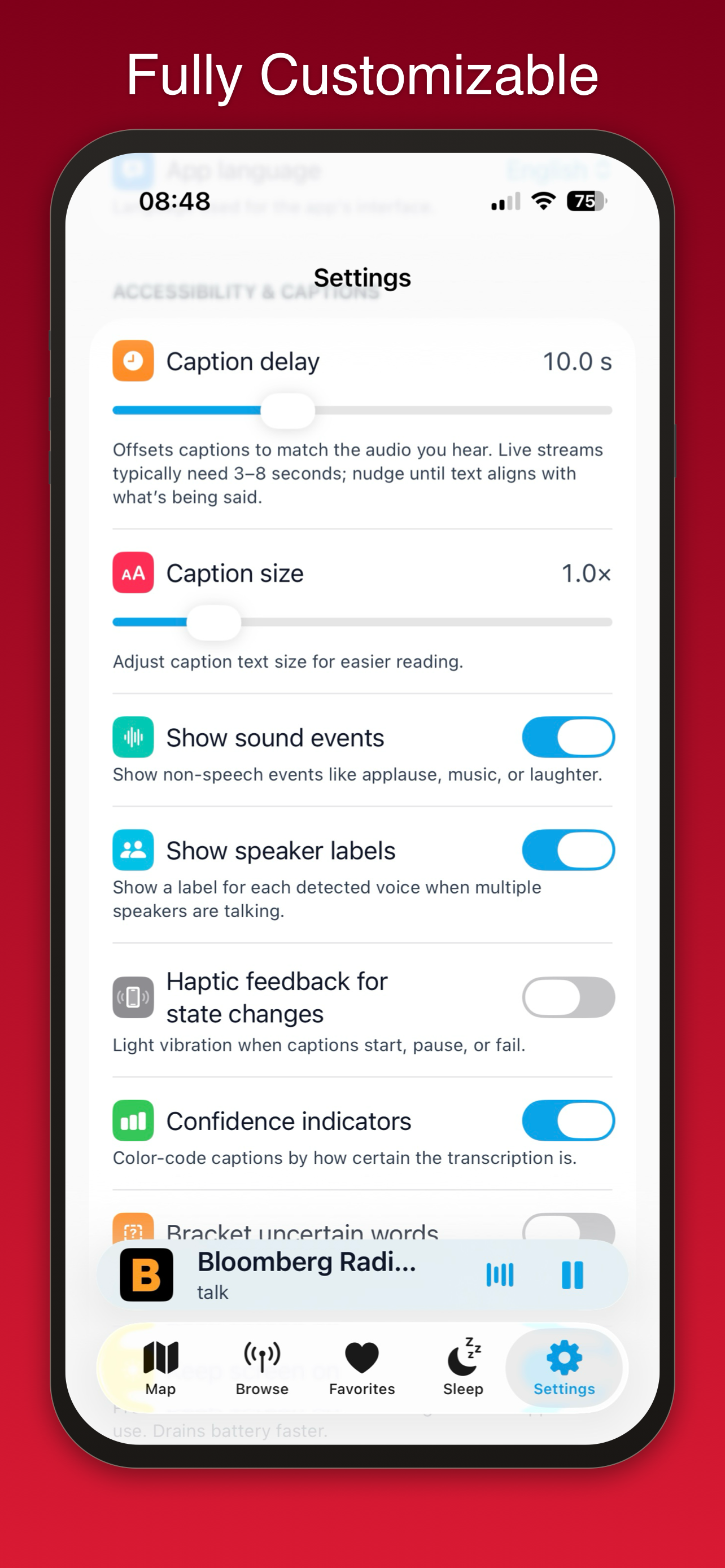
Adjustable caption size and reading speed, speaker labels, sound-event hints, haptics, and reduced-motion support.
Private by design
No accounts. No analytics on caption text. Audio and transcripts stay on your device.
Snappy & iOS 26 native
SwiftUI, Apple Speech streaming, Apple Translation, AVFoundation. No webviews, no Electron.
What stays on your phone.
Everything that matters. Captions, translations, recordings, history, and summaries are all generated on device. We never see what you listen to or what was transcribed. No login. No personal account required.
Start free. Upgrade when you're ready.
The full station directory, captions, translation, favorites, sleep timer, and widgets are free. Pro removes the daily quota and unlocks the power-user tools.
Free
• Full 30,000+ station directory
• Live captions and translation
• Up to 10 favorites
• Sleep timer and widgets
• 45 minutes of captions per day
Pro
• Unlimited captions, no daily quota
• Clip recording with transcripts
• Unlimited favorites
• Full searchable transcript history
• Daily Digest widget
Pro Monthly, Yearly (both with a 7-day free trial), and a one-time Lifetime purchase. Manage or cancel any time in iOS Settings.
Common questions.
Does Caption Radio work offline?
Which languages can captions translate into?
Do you upload my audio or captions anywhere?
What devices does it support?
Is Caption Radio free?
Why not Android?
The fine print.
Tap any section to expand.
Privacy Policy
Last updated: May 31, 2026
Summary. Caption Radio does not require an account, does not track you, and does not transmit your audio, captions, transcripts, or recordings off your device. Everything that matters happens on your iPhone.
Caption Radio is provided as a service offering access to radio stations from around the globe. Users are solely responsible for ensuring their use of the application complies with the respective terms and policies of individual radio stations. Under no circumstances shall the developer or any affiliated parties be held liable for any unauthorized or improper use of the Caption Radio application.
What stays on your device
- Audio. Live radio audio flows directly from the station's public stream to iOS playback. It is never recorded or stored unless you tap Record.
- Captions and translations. All speech-to-text and translation runs on your iPhone using Apple Speech, WhisperKit, and Apple Translation. Caption text is never sent to a server controlled by us.
- Recordings & transcripts. Clip recordings and their transcripts are saved to your device's local storage and synced only to your own iCloud account if iCloud Drive is enabled — never to us.
- History. Listening history and saved transcripts live in a local Core Data store. The "Save history" toggle in Settings disables this entirely.
What we collect
Caption Radio uses Apple's standard App Store Connect analytics, which receive only aggregate, anonymized metrics (launches, crash counts, regional install totals). We never see who you are or what you listened to. The app does not embed third-party analytics, ad SDKs, or tracking pixels.
What we never collect
- Your identity, email address, or phone number.
- Caption text, transcripts, or translations.
- Recordings or any audio data.
- Browsing or listening behavior tied to you.
- Location data.
Network requests
- Radio Browser API (radio-browser.info) for the station directory.
- Station stream URLs hosted by the broadcasters themselves, fetched directly by iOS playback.
- Apple Translation and Apple Speech may download language packs from Apple on first use.
- StoreKit handles any in-app upgrades; transaction state is exchanged with Apple, not with us.
Children
Caption Radio is intended for general audiences. It does not knowingly collect any personal information from anyone, including children under 13.
Changes to this policy
If this policy changes materially, the new version will be posted on this page with an updated date at the top. Continued use of the app after a change indicates acceptance.
Contact
Questions, takedown requests, or privacy concerns: use the contact section below.
Terms of Use
Last updated: May 31, 2026
These terms govern your use of the Caption Radio app ("the app") for iOS and iPadOS, distributed via the Apple App Store. By installing or using the app, you agree to these terms. If you do not agree, please do not use the app.
1. The service
Caption Radio is a directory and player for publicly broadcast internet radio streams. The app does not host, encode, or transcode any radio audio. Streams are operated and made available by their respective broadcasters; the app simply plays the URLs they publish.
2. Station content
All radio content — audio, station names, logos, and program material — is the property of the originating broadcaster. The app's station directory is sourced from radio-browser.info, a community-maintained open database, and stations may be added, removed, or modified at any time without notice.
If you are a rights holder and would like a stream removed from the directory, please use the contact section below; we will forward the request to the directory upstream.
3. Captions, translation, and recordings
Captions, translations, and clip recordings are generated locally on your device using Apple Speech, WhisperKit, and Apple Translation. These outputs may contain errors, omissions, or hallucinations and are provided as-is, with no warranty of accuracy. They should not be relied upon for legal, medical, journalistic, or safety-critical decisions.
Audio clips you record using the app are stored only on your device. You are responsible for ensuring that your recording and any subsequent sharing of broadcast content complies with the copyright laws and broadcasting regulations applicable to you.
4. Upgrades and billing
- Optional upgrades are handled through Apple's App Store.
- The applicable terms are shown at the point of purchase inside the app and on the App Store product page.
- Any auto-renewing option renews at the end of each billing period unless cancelled at least 24 hours before renewal.
- Manage or cancel anytime via iOS Settings → your name → Subscriptions, or via the "Manage" row inside the app's Settings.
- Refunds for App Store purchases are governed by Apple's refund policy at reportaproblem.apple.com.
5. Acceptable use
You agree not to:
- Reverse-engineer, decompile, or attempt to extract the source code of the app, except as expressly permitted by law.
- Use the app to redistribute broadcast content in violation of the broadcaster's rights or applicable copyright law.
- Use the app to harass, defame, or invade the privacy of others.
6. Apple's role
Apple is not a party to these terms and is not responsible for the app or its content. Apple has no obligation to provide maintenance or support for the app. Apple is a third-party beneficiary of these terms and may enforce them against you.
7. Disclaimer and limitation of liability
The app is provided "as is" without warranties of any kind, express or implied, including merchantability, fitness for a particular purpose, and non-infringement. To the maximum extent permitted by law, the app's developer is not liable for any indirect, incidental, consequential, or punitive damages arising out of or related to your use of the app, including loss of data, loss of profits, or service interruptions.
8. Changes
These terms may be updated from time to time. The current version will always be posted on this page with an updated date. Continued use after a change indicates acceptance.
Contact me.
Feedback, bug reports, station takedown requests, or just want to say hello — I read every message.
Contact meI usually reply within 1–2 business days.