Your calendar, five ways.
A beautiful iPhone calendar with List, Day, Week, Month, and Grid views. An event heatmap shows your busiest days at a glance. No tracking. No servers. Just your time, beautifully.
A beautiful iPhone calendar with List, Day, Week, Month, and Grid views. An event heatmap shows your busiest days at a glance. No tracking. No servers. Just your time, beautifully.
Pick the view that fits the moment — quick scan, hour-by-hour, weekly planning, or month-at-a-glance.
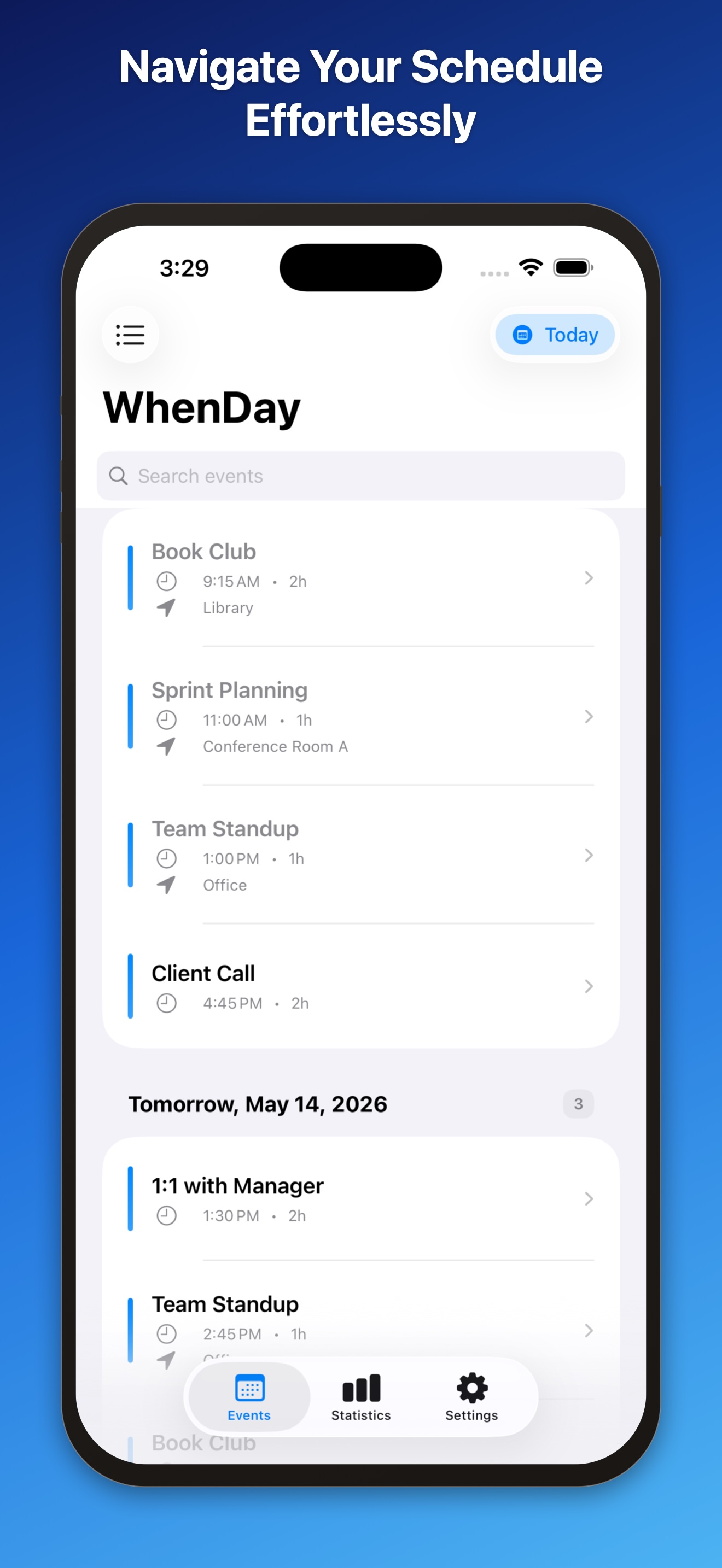
Quick overview of all upcoming events.
Hour-by-hour timeline for today.
Plan your week at a glance.
Full month with event details.
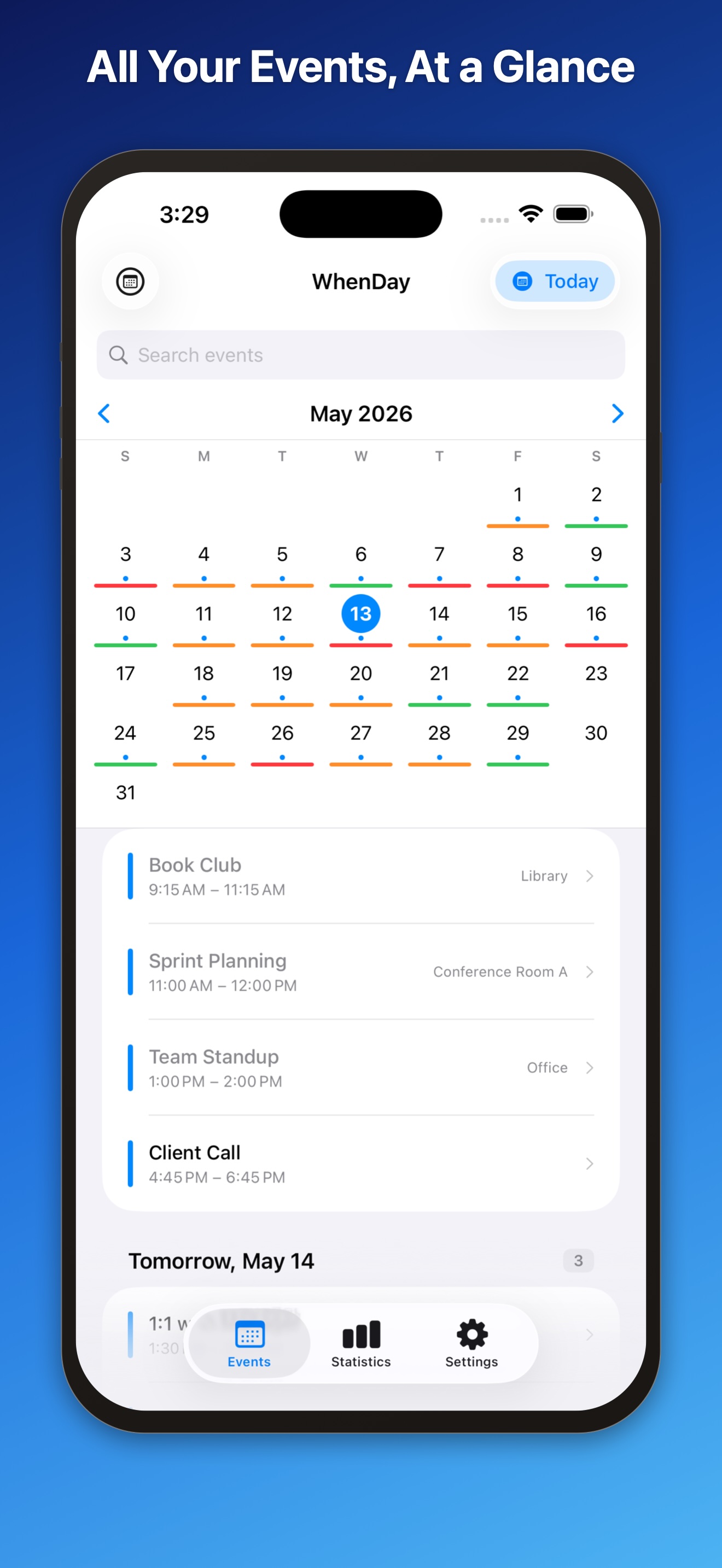
Heatmap of your busiest days.
Every feature exists to help you understand your schedule faster.
Find any event instantly by title, location, or calendar name — across every calendar you have.
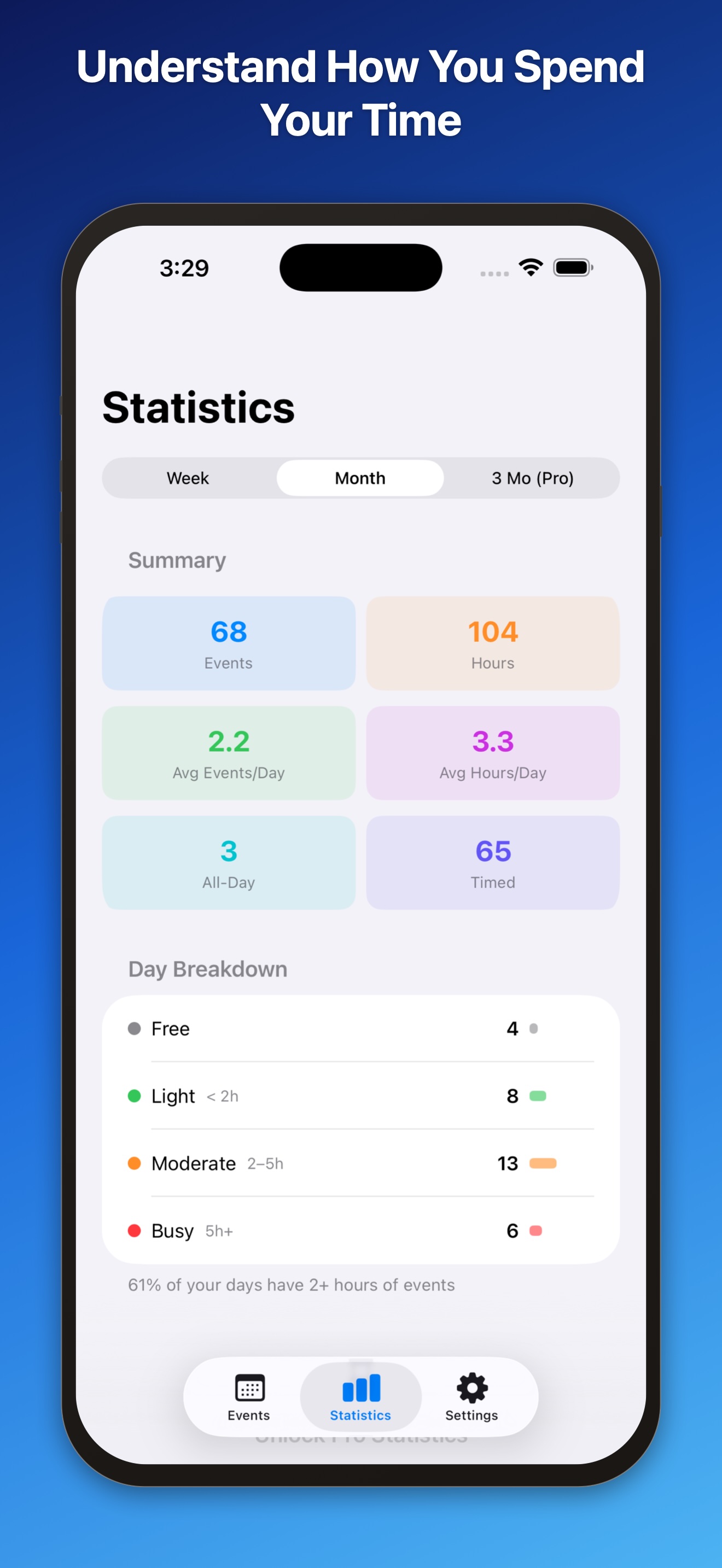
Calendar breakdown, busiest days, time-of-day analysis, and highlights to understand your schedule.
Today's events, next-event countdown, and week ahead — on your Home Screen and Lock Screen.
See your busiest days at a glance with color-coded indicators in Grid and Month views.
Your settings sync seamlessly across all your devices via your private iCloud.
Use WhenDay in your language — switch any time in Settings.
A clean, native iOS interface that gets out of your way.
WhenDay reads from your device calendars and processes them locally. Nothing is uploaded.
Zero analytics or telemetry. No advertising identifiers. No third-party SDKs.
All calendar data stays on your iPhone. There are no servers to upload to.
No sign-up or login required. Open the app and it just works.
Only preferences (chosen view, theme, visible calendars) sync via your private iCloud.
No. WhenDay reads from your existing device calendars — iCloud, Google, Exchange, or any account you've added in iOS Settings — through Apple's EventKit framework. There are no servers; nothing is uploaded. Only your WhenDay preferences sync via your private iCloud.
List for a quick scroll through upcoming events; Day for an hour-by-hour timeline of today; Week to plan the week ahead; Month for full event detail; and Grid for a heatmap of your busiest days.
The heatmap uses color intensity to indicate the number of events on each day. Busy days stand out at a glance in Grid and Month views, so you can spot patterns and open windows quickly.
English, French, Spanish, Portuguese, German, Japanese, and Chinese. You can switch languages any time in Settings.
No. WhenDay does not use analytics, advertising identifiers, or any third-party tracking. There are no servers that receive your data. All calendar data is processed on your device.
WhenDay (the "App") is created and operated by Sylvain Lafrance, doing business as myrcbox ("we," "us," or "our"). This Privacy Policy explains how the App handles information when you use it.
WhenDay does not collect, store, transmit, or share any personal information. We do not use analytics, advertising identifiers, or any third-party tracking services. We have no servers that receive your data.
WhenDay reads events from your device calendars using Apple's EventKit framework. This access requires your explicit permission, which you can grant or revoke at any time in Settings → Privacy & Security → Calendars. All calendar data is processed on your device and never leaves it.
If you have iCloud enabled on your device, your WhenDay preferences (such as selected views, theme, and visible calendars) may sync between your devices via Apple's iCloud service. This sync is managed by Apple under Apple's privacy policies. We do not have access to your iCloud data.
WhenDay Pro is offered as a one-time in-app purchase through the Apple App Store. All transactions, billing, and receipts are handled by Apple. We do not receive your payment information or any personally identifying details about you.
If you opt in to share app diagnostics with developers in iOS Settings, anonymized crash logs may be made available to us through Apple. These reports contain no personal information and are used solely to identify and fix bugs.
WhenDay is not directed to children under 13 (or the equivalent minimum age in your jurisdiction). We do not knowingly collect information from children.
Effective May 14, 2026.
By downloading, installing, or using WhenDay, you agree to be bound by these Terms of Use. If you do not agree, please do not use the App.
We grant you a limited, non-exclusive, non-transferable, revocable license to use WhenDay on any Apple-branded device that you own or control, subject to these Terms and Apple's Media Services Terms and Conditions.
You agree to use WhenDay only for personal, non-commercial purposes and in compliance with all applicable laws.
You may not copy, modify, or create derivative works of the App; reverse engineer, decompile, or disassemble it (except where permitted by law); rent, lease, sell, sublicense, or otherwise transfer it; remove proprietary notices; or use the App in any way that could damage, disable, or impair it.
WhenDay Pro is offered as a one-time in-app purchase through the Apple App Store. All purchases are final and subject to Apple's refund and billing policies. Pro features may evolve over time at our discretion.
WhenDay, including its design, code, content, and trademarks, is owned by Sylvain Lafrance (myrcbox) and is protected by copyright and other intellectual property laws.
The App is provided "as is" and "as available," without warranties of any kind. We do not warrant that the App will be uninterrupted, error-free, or free of harmful components.
To the maximum extent permitted by law, in no event shall Sylvain Lafrance or myrcbox be liable for any indirect, incidental, special, consequential, or punitive damages, or any loss of data, profits, or goodwill, arising out of or related to your use of the App.
You acknowledge that these Terms are concluded between you and us, not with Apple, and that Apple is not responsible for the App or its content.
We may suspend or terminate your right to use the App at any time, without notice, if you breach these Terms.
These Terms are governed by the laws of the Province of Quebec, Canada. Disputes shall be resolved in the courts of Quebec.
Questions, feedback, or a feature you'd love to see? I'd love to hear from you.
Contact meUsually a reply within 1–2 business days.
A native iPhone calendar with five views and a private heart.
Download on theApp Store