Who Else Is on Your Server? Using Reverse IP Lookup to Unmask Shared Hosting

Who Else Is on Your Server? Using Reverse IP Lookup to Unmask Shared Hosting
When you connect to a website, you might be sharing that IP address with hundreds of strangers. Reverse IP lookup reveals the truth — and NetProbe puts it in your pocket.
When you type a domain name into your browser, a DNS resolver translates it into an IP address and delivers you to a web server. Simple enough. But here's something most people never think about: that IP address you just connected to might be hosting dozens — sometimes hundreds — of other websites at the same time. Welcome to the world of shared hosting, and the surprisingly revealing technique called reverse IP lookup.
NetProbe's Reverse IP tool puts this kind of intelligence right in your pocket.
Get NetProbe
Four tools free. Full suite unlocked with a one-time Pro purchase. No subscription, no account required.

What Is Shared Hosting, Really?
To keep costs low, web hosting providers pack multiple customers onto a single physical server. Each customer gets their own domain, their own files, and the illusion of an independent web presence — but underneath, they all share the same IP address, the same CPU, the same memory pool, and the same network pipe.
This is shared hosting in a nutshell, and it's the foundation of most entry-level and small-business web plans worldwide. It works well enough for low-traffic sites, but it comes with trade-offs worth understanding:
- Performance coupling — a traffic spike on a neighbour's site can slow yours down.
- Security proximity — a vulnerability exploited on one site can, in some configurations, affect others on the same server.
- Reputation sharing — if a neighbouring site sends spam or engages in malicious activity, the shared IP can land on blocklists, hurting your email deliverability.
None of this makes shared hosting bad. It's a perfectly reasonable choice for millions of websites. But knowing who you're sharing an IP with can be genuinely useful.
What Is a Reverse IP Lookup?
A standard DNS lookup goes from domain name → IP address. A reverse IP lookup flips that relationship: you start with an IP address and ask which domain names are associated with it.
The underlying mechanism queries DNS PTR records and cross-references hosting databases to build a picture of all the domains pointing to that IP. The result is a list — sometimes short for a dedicated server, sometimes very long for a busy shared hosting environment.
Why Run a Reverse IP Lookup?
Investigate a suspicious domain
You've received an email from an unfamiliar domain, or spotted a link that looks off. Running a reverse IP lookup tells you its hosting neighbourhood. If the IP is home to dozens of low-quality or suspicious sites, that's a meaningful signal.
Vet a potential business partner
Before integrating with a third-party service, a quick reverse IP check gives you a sense of how seriously they take their infrastructure. A dedicated IP or clean shared environment speaks to professionalism.
Understand your own hosting situation
You may not know what neighbours your hosting plan has given you. A reverse IP lookup on your own domain is one of the fastest ways to find out — especially useful if you notice unexplained slowdowns or email delivery issues.
Competitive and SEO research
Digital marketers use reverse IP lookups to understand the hosting footprint of competitor sites, or to identify site networks that might be artificially linking to each other. A cluster of sites on the same IP, all linking to a single domain, is a pattern worth noticing.
Network troubleshooting and security audits
IT and security teams use reverse IP data as part of broader infrastructure investigations — mapping the attack surface of an organization, correlating suspicious traffic sources, or validating that a hosting migration completed cleanly.
How NetProbe's Reverse IP Tool Works
NetProbe brings professional-grade network diagnostics to your iPhone — no terminal window or networking degree required. Here's how to use the Reverse IP tool:
- Open NetProbe and navigate to the Reverse IP tool.
- Enter a domain name or IP address — either works as your starting point.
- Run the lookup. NetProbe queries DNS records and hosting databases and returns all domains associated with that IP.
- Review the results. The co-hosted domain count alone tells a story.
Pro tip: The Reverse IP tool is part of the NetProbe Pro upgrade, available as a one-time purchase alongside the full suite of 18 diagnostic tools.
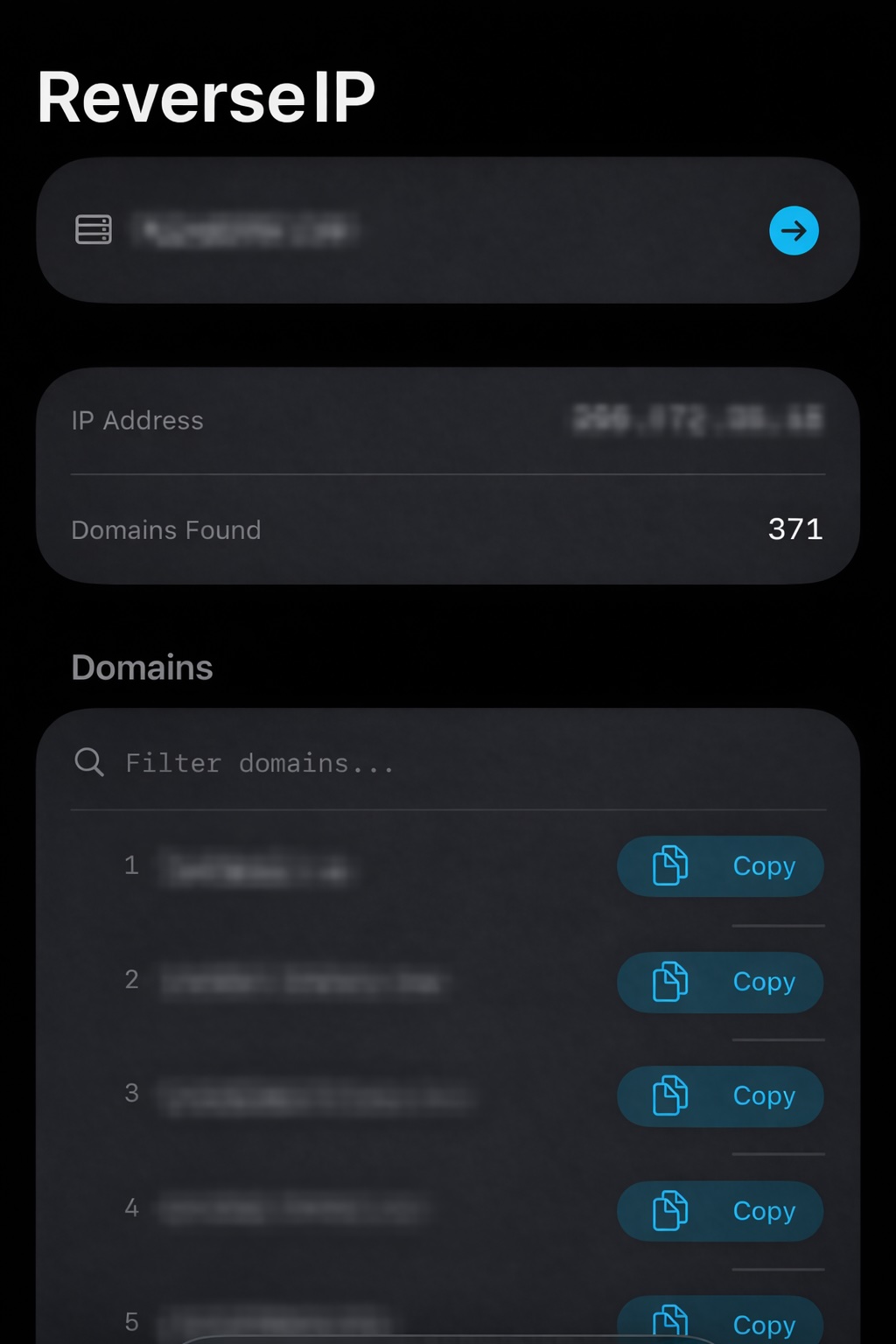
Reading the Results
| Co-hosted domains | What it suggests |
|---|---|
| 1 – 10 | VPS, dedicated server, or cloud instance. Generally good for performance and security isolation. |
| 10 – 50 | Typical shared hosting. Not unusual or inherently problematic — worth a closer look at the domain names if you have concerns. |
| 50+ | Dense shared hosting. Common on budget plans. For security investigations, this environment warrants additional scrutiny. |
Domain quality matters too. Legitimate business names and recognizable brands among the co-residents are reassuring. Keyword-stuffed strings, suspicious TLDs, or obviously auto-generated domain names are worth flagging.
A Practical Example
Imagine you're evaluating a new SaaS vendor your company is considering integrating with. Their pitch deck looks polished, their pricing is competitive. Before signing anything, you drop their domain into NetProbe's Reverse IP tool. The result: their domain shares an IP with 340 other sites, several of which follow obvious spam naming patterns.
This doesn't automatically disqualify them — perhaps they're simply on budget hosting while early-stage. But it's a data point. Maybe you ask them directly about their infrastructure. Maybe you decide the risk profile doesn't fit your requirements. Either way, you made an informed decision rather than a blind one.
That's the value of having the right tool in your pocket.
Beyond Reverse IP: NetProbe's Full Toolkit
Reverse IP lookup is one piece of a broader network intelligence picture. NetProbe brings 18 diagnostic tools into a single, clean iOS app: DNS Lookup, WHOIS, Ping, Traceroute, Port Scanner, SSL Certificate Inspector, HTTP Headers, IP Geolocation, and more — with four tools free and the full suite unlocking with a one-time Pro purchase.
Whether you're an IT professional, a developer, or simply someone who wants to understand the infrastructure behind the sites they visit, NetProbe turns your iPhone into a capable network analysis tool.
Get NetProbe
Four tools free. Full suite unlocked with a one-time Pro purchase. No subscription, no account required.
You should also read:

Why coding a small app might be the best thing for your anxiety
There's a peculiar kind of calm that settles in when you're deep in a Xcode project, tracking down why a SwiftUI view isn't updating the way you expect. It's not the absence of stress — it's a different kind of focus altogether. For many developers,…
Continue reading...